Effects: every way Appromove turns your body into controls
Efectos: cada forma en que Appromove convierte tu cuerpo en controles
Each effect listens to something different (your hands, your body, your voice, your head) and turns it into keys, mouse or gamepad. Here is what each one does, with a real screenshot of the app in its normal window and a small animation.
Cada efecto escucha algo distinto (tus manos, tu cuerpo, tu voz, tu cabeza) y lo convierte en teclas, ratón o mando. Aquí tienes qué hace cada uno, con una captura real de la app en su ventana normal y una pequeña animación.
Effects that press keys only send them to the game while Gesture control is on (F6 by default); with it off, Appromove detects but sends nothing. The keys in the animations are examples: you choose them in Keys.
Los efectos que pulsan teclas solo las envían al juego con Control por gestos activado (F6 por defecto); apagado, Appromove detecta pero no envía nada. Las teclas de las animaciones son ejemplos: las eliges tú en Teclas.
00 · HomeInicio
Add effectAñadir efecto
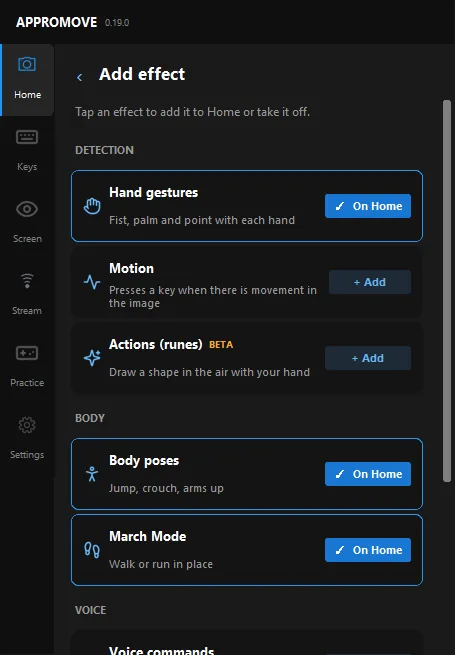
On Home, Add effect opens the catalog: tap an effect to add it to Home or take it off. Effects are grouped into Detection, Body, Voice and Mouse.
Removing an effect sends it back to the catalog and keeps its settings; to pause it, just use its switch. Each one has an “Options ›” page, shown in the screenshots below.
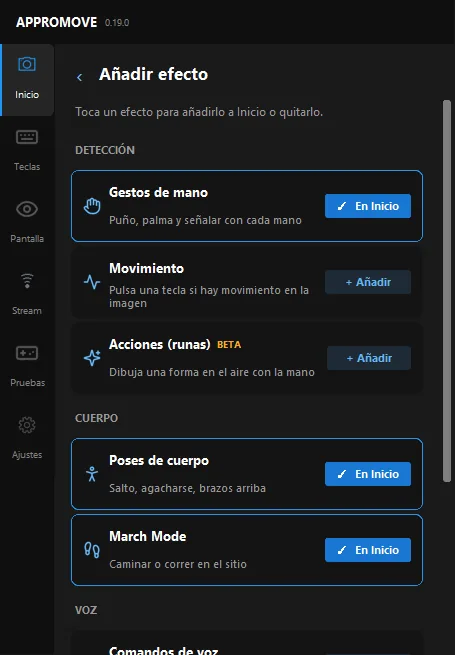
En Inicio, Añadir efecto abre el catálogo: toca un efecto para añadirlo a Inicio o quitarlo. Están agrupados en Detección, Cuerpo, Voz y Ratón.
Quitar un efecto lo devuelve al catálogo y guarda su configuración; para pausarlo basta su interruptor. Cada uno tiene una página «Opciones ›», la que ves en las capturas de abajo.
The 8 effects of the catalogLos 8 efectos del catálogo
01 · Catalog · DetectionCatálogo · Detección
Hand gesturesGestos de mano
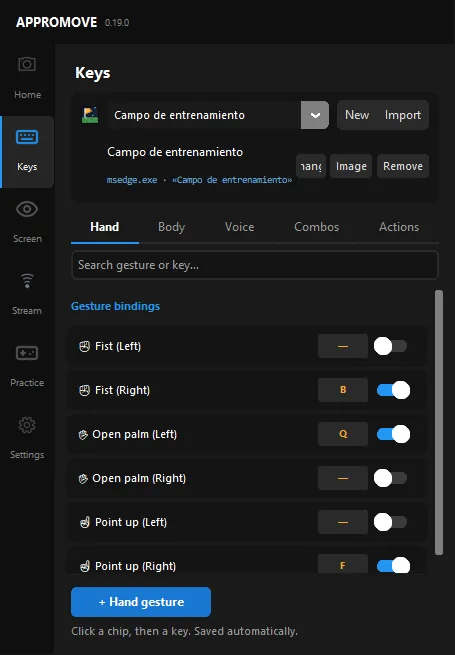
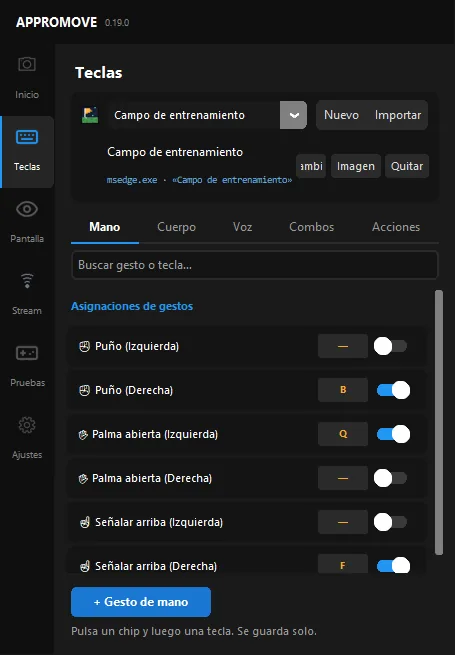
Recognises fist, open palm and point up with each hand: six gestures you can bind to a key, to press it once or hold it. You can also create your own hand gesture by choosing which fingers are open or closed.
Good for quick actions such as attacking, using or opening the inventory.
Reconoce puño, palma abierta y señalar arriba con cada mano: seis gestos que puedes asignar a una tecla, para pulsarla una vez o mantenerla. También puedes crear tu propio gesto de mano eligiendo qué dedos van abiertos o cerrados.
Ideal para acciones rápidas como atacar, usar o abrir el inventario.
Sends keys with Gesture control onEnvía teclas con Control por gestos activoF6
02 · Catalog · BodyCatálogo · Cuerpo
Body posesPoses de cuerpo
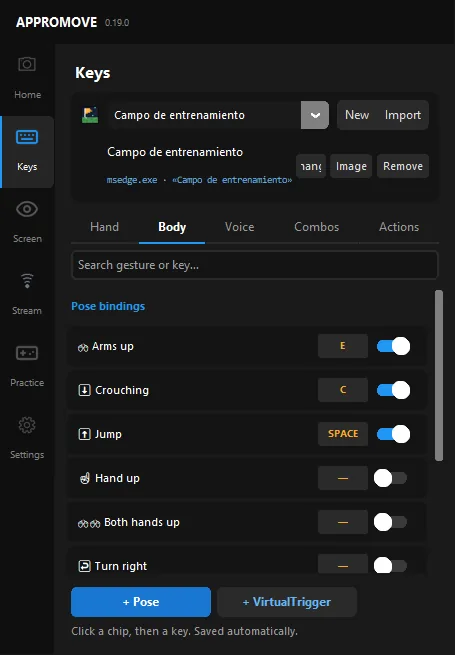
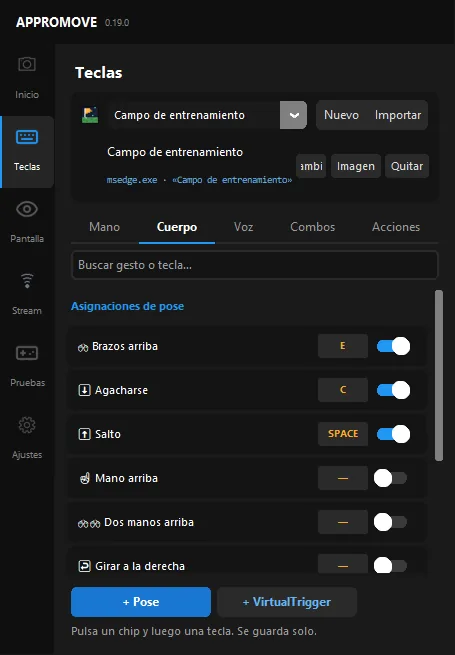
Detects whole-body poses: jump, crouch, arms up, hand up, both hands up and turn left or right. Adjust the jump and crouch thresholds, and add custom poses by capturing them with the camera.
Use it when the game should follow your body: jump to jump, crouch to crouch.
Detecta poses de todo el cuerpo: salto, agacharse, brazos arriba, mano arriba, dos manos arriba y girar a la izquierda o a la derecha. Ajusta el umbral de salto y de agacharse, y añade poses personalizadas capturándolas con la cámara.
Úsalo cuando quieras que el juego siga a tu cuerpo: saltas y salta, te agachas y se agacha.
Sends keys with Gesture control onEnvía teclas con Control por gestos activoF6
03 · Catalog · DetectionCatálogo · Detección
MotionMovimiento
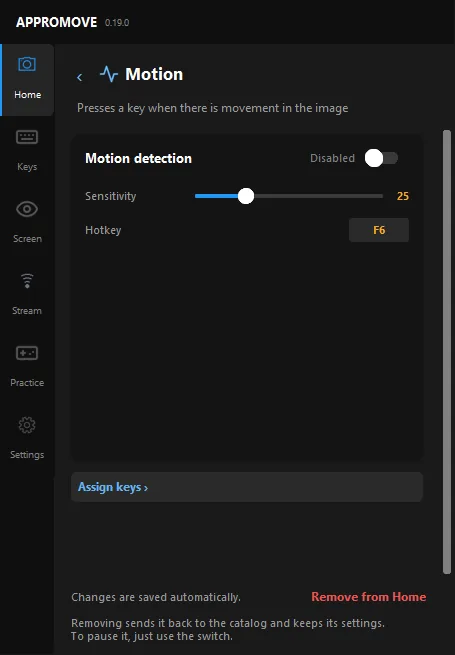
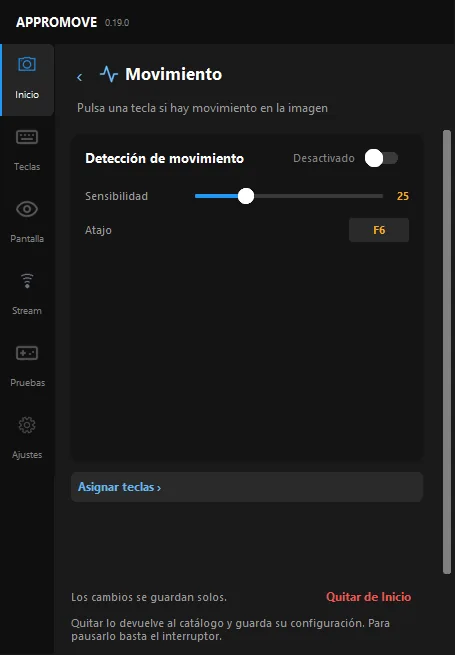
Presses a key when there is movement in the camera image, without recognising any particular gesture: any movement counts. Set its sensitivity on its page.
Handy when one simple action is all you need.
Pulsa una tecla cuando hay movimiento en la imagen de la cámara, sin reconocer ningún gesto concreto: cualquier movimiento cuenta. Ajusta la sensibilidad en su página.
Práctico cuando solo necesitas una acción sencilla.
On/off hotkeyAtajo on/offF6(same default as Gesture control: the app warns about the clash and offers another key)(mismo atajo por defecto que Control por gestos: la app avisa del choque y propone otra tecla)
04 · Catalog · DetectionCatálogo · Detección
Actions (runes)Acciones (runas) BETA
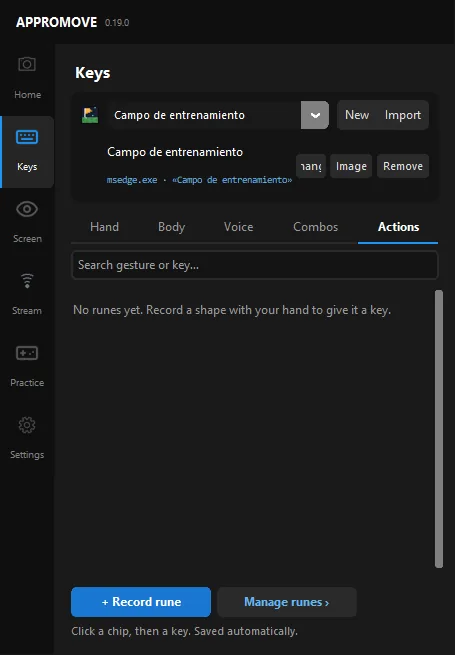
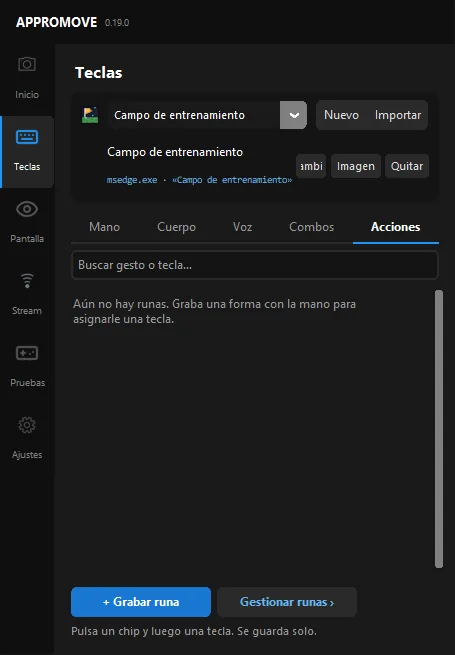
Draw a shape in the air with your wrist (a lightning bolt, a circle…) and Appromove presses that rune's key. You record each rune yourself: after a countdown you draw it, and the more takes (up to 3) the better it is recognised. It works with the right hand, the left hand or both.
Perfect for spells and special moves.
Dibuja una forma en el aire con la muñeca (un rayo, un círculo…) y Appromove pulsa la tecla de esa runa. Cada runa la grabas tú: tras una cuenta atrás la trazas, y con más tomas (hasta 3) la reconoce mejor. Funciona con la mano derecha, la izquierda o ambas.
Perfecto para hechizos y movimientos especiales.
Sends keys with Gesture control onEnvía teclas con Control por gestos activoF6
05 · Catalog · BodyCatálogo · Cuerpo
March ModeMarch Mode
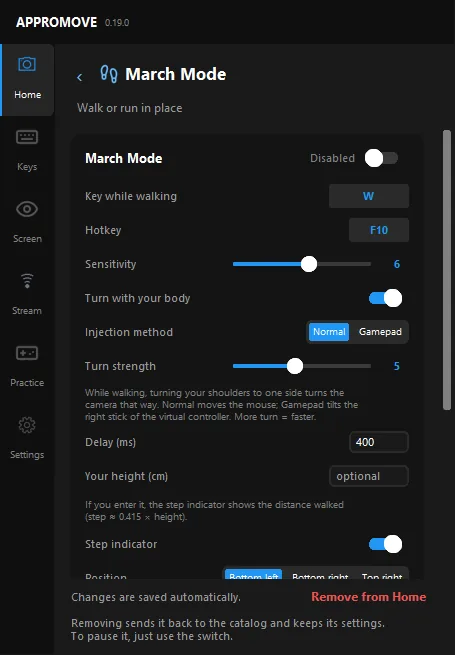
Walk or run in place, seen from the waist up: while it detects your shoulders and head bobbing with a step rhythm, it holds its key down (W, for example). Moving your hands does not count.
With Turn with your body, turning your shoulders while walking turns the in-game camera, as mouse movement (Normal) or with the right stick of a virtual controller (Gamepad). A step indicator over the game shows your steps and pace, and the distance walked if you enter your height.
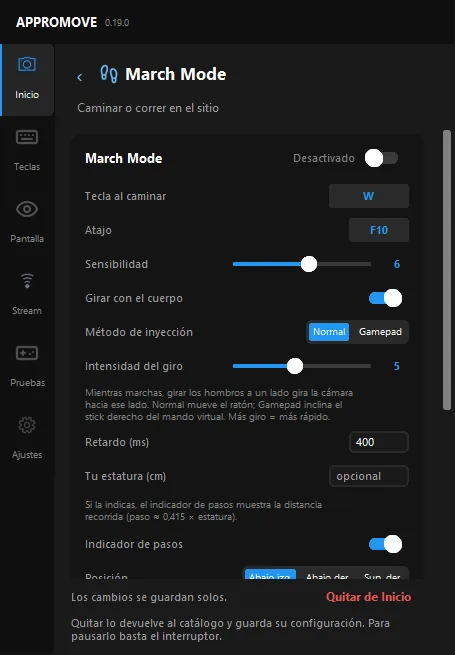
Camina o corre en el sitio, visto de cintura para arriba: mientras detecta el balanceo de hombros y cabeza con ritmo de pasos, mantiene pulsada su tecla (por ejemplo W). Mover las manos no cuenta.
Con Girar con el cuerpo, girar los hombros mientras caminas gira la cámara del juego, moviendo el ratón (Normal) o el stick derecho de un mando virtual (Gamepad). Un indicador de pasos sobre el juego muestra tus pasos y el ritmo, y la distancia si indicas tu estatura.
On/off hotkeyAtajo on/offF10
06 · Catalog · VoiceCatálogo · Voz
Voice commandsComandos de voz
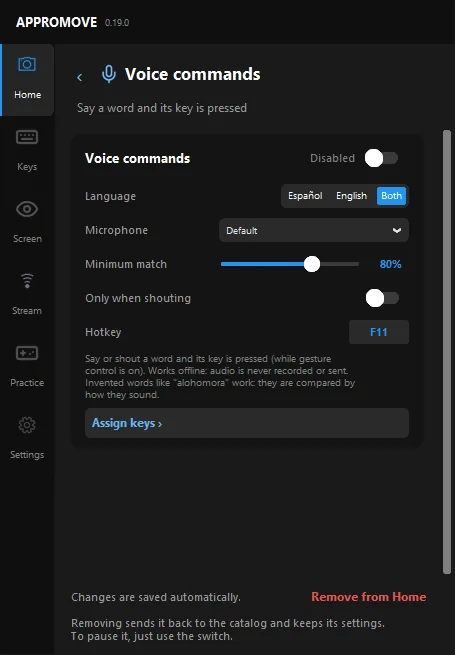
Say or shout a word and its key is pressed (while Gesture control is on). It works offline: audio is never recorded or sent. Invented words like “alohomora” work, because they are compared by how they sound.
Choose Spanish, English or both, a minimum match and “Only when shouting”. Each language needs a voice model (~40 MB) downloaded once.
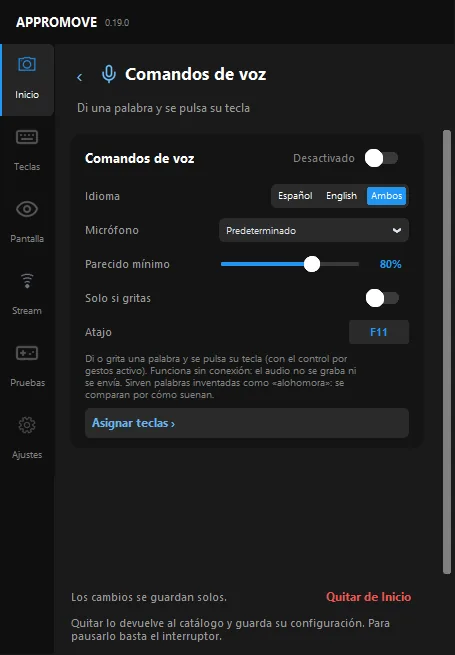
Di o grita una palabra y se pulsa su tecla (con Control por gestos activo). Funciona sin conexión: el audio no se graba ni se envía. Sirven palabras inventadas como «alohomora», porque se comparan por cómo suenan.
Elige español, inglés o ambos, el parecido mínimo y «Solo si gritas». Cada idioma necesita un modelo de voz (~40 MB) que se descarga una vez.
On/off hotkeyAtajo on/offF11
07 · Catalog · MouseCatálogo · Ratón
Hand MouseHand Mouse BETA
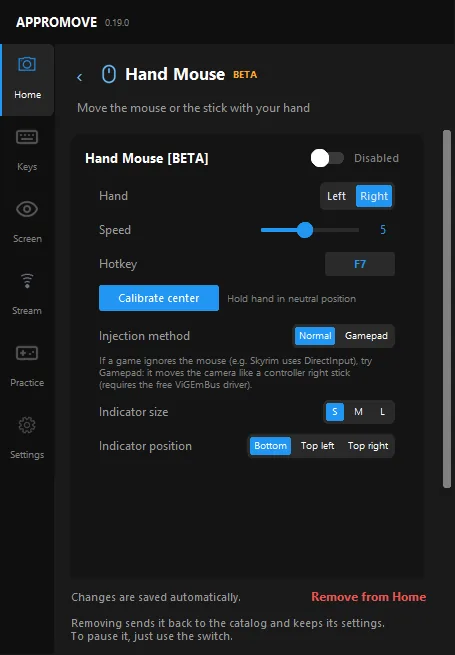
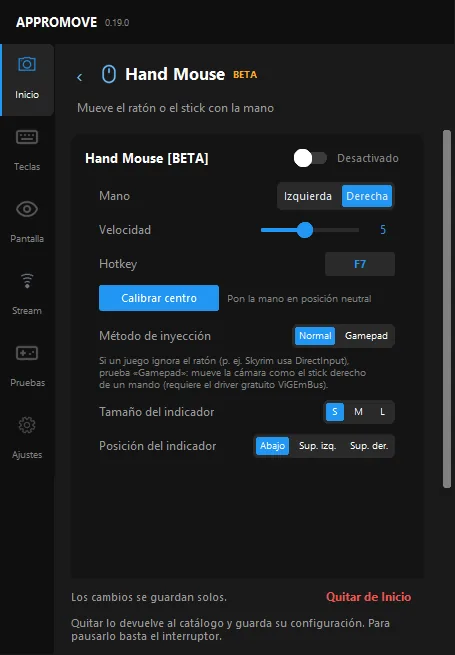
Move the cursor with your hand: pick the left or right hand, set the speed and calibrate the centre with your hand in a neutral position.
If a game ignores the mouse, the Gamepad method moves the camera like a controller's right stick (it needs the free ViGEmBus driver).
Mueve el cursor con la mano: elige mano izquierda o derecha, ajusta la velocidad y calibra el centro con la mano en posición neutral.
Si un juego ignora el ratón, el método Gamepad mueve la cámara como el stick derecho de un mando (requiere el driver gratuito ViGEmBus).
On/off hotkeyAtajo on/offF7
08 · Catalog · MouseCatálogo · Ratón
Head MouseHead Mouse BETA
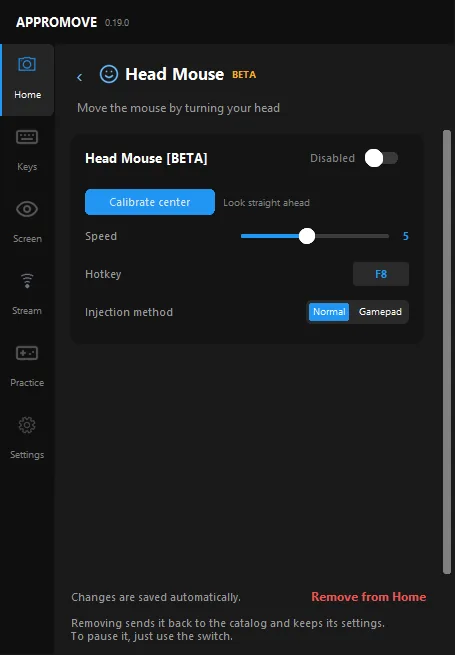
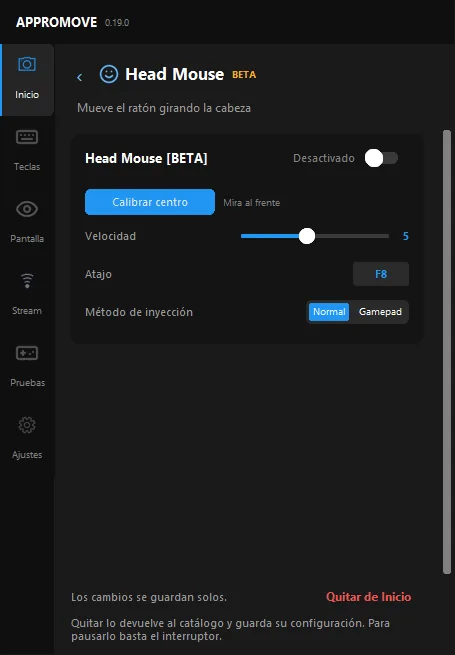
Move the mouse by turning your head: calibrate the centre while looking straight ahead and set the speed. Like Hand Mouse, it can inject as a normal mouse or as a gamepad.
Together with voice commands, it lets you play without using your hands.
Mueve el ratón girando la cabeza: calibra el centro mirando al frente y ajusta la velocidad. Como Hand Mouse, puede actuar como ratón normal o como mando.
Junto con los comandos de voz, te deja jugar sin usar las manos.
On/off hotkeyAtajo on/offF8
Also in KeysTambién en Teclas
Two ways to combine your body with the effects above, created from the Keys screen.Dos formas de combinar tu cuerpo con los efectos de arriba, que se crean desde la pantalla Teclas.
09 · In KeysEn Teclas
CombinationsCombinaciones
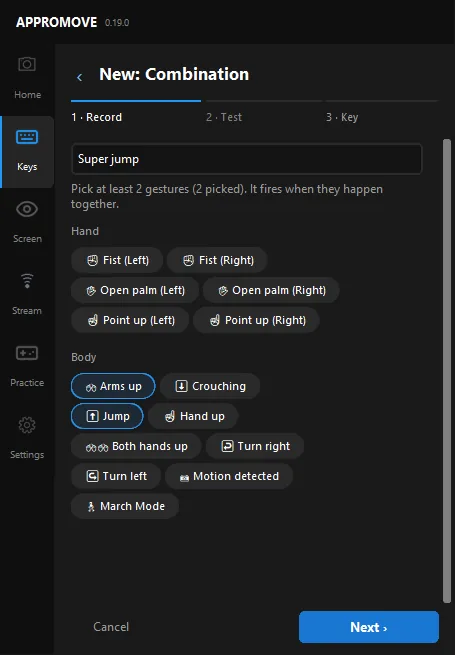
Press a key only when several gestures happen together: pick at least 2, for example Jump + Arms up. They can be hand gestures, poses, motion, March Mode, your custom gestures and poses, actions and VirtualTriggers.
Create them in Keys › Combos with the wizard: record, test, key.
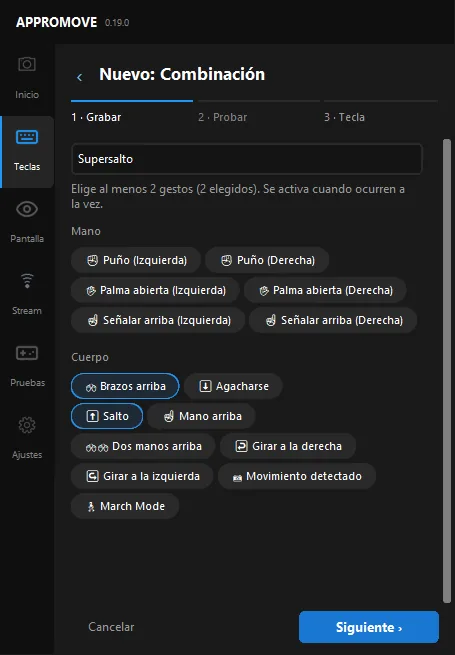
Pulsa una tecla solo cuando varios gestos ocurren a la vez: elige al menos 2, por ejemplo Salto + Brazos arriba. Pueden ser gestos de mano, poses, movimiento, March Mode, tus gestos y poses personalizados, acciones y VirtualTriggers.
Se crean en Teclas › Combos con el asistente: grabar, probar, tecla.
Sends keys with Gesture control onEnvía teclas con Control por gestos activoF6
10 · In KeysEn Teclas
VirtualTriggerVirtualTrigger
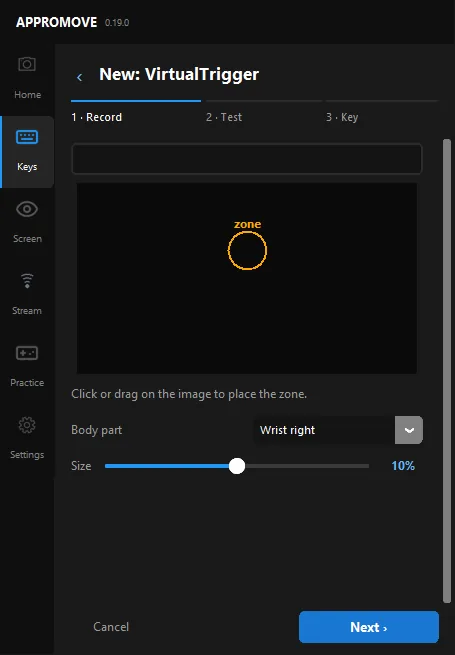
Place a zone on the camera image (click or drag), choose a body part, such as the right wrist, and its size: when that part enters the zone, the key is pressed.
Create it in Keys › Body with “+ VirtualTrigger”. Great for touching virtual buttons around you.
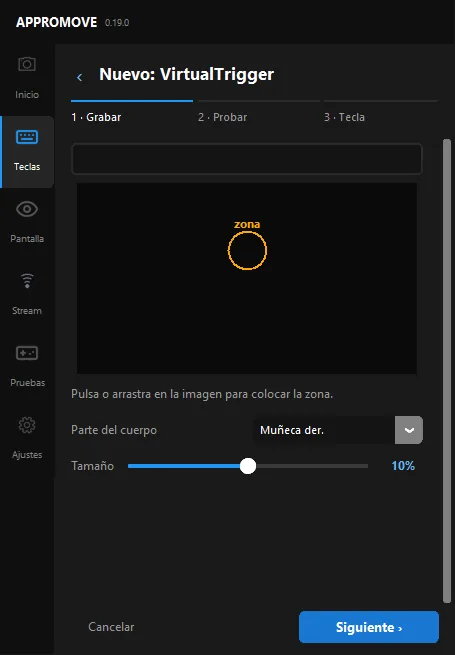
Coloca una zona sobre la imagen de la cámara (clic o arrastrar), elige una parte del cuerpo, como la muñeca derecha, y su tamaño: cuando esa parte entra en la zona, se pulsa la tecla.
Se crea en Teclas › Cuerpo con «+ VirtualTrigger». Genial para tocar botones virtuales a tu alrededor.
Sends keys with Gesture control onEnvía teclas con Control por gestos activoF6